DNS Record Types Explained
Search for a command to run...
No comments yet. Be the first to comment.
When we write CSS, our main goal is very simple: we want to apply styles to specific parts of our webpage. But how does CSS know which elements we are talking about? That is where CSS selectors come in. Selectors are the foundation of CSS. Without se...

When someone visits a website, they usually see colors, buttons, images, and animations. But underneath all of that, the real structure of every webpage is built using HTML. HTML is the starting point of web development.No matter how advanced a websi...

When we use the internet, it often feels almost magical that everything we need is available within a few clicks. However, behind this apparent simplicity lies a highly complex system and an entire machinery working silently in the background. Even t...
Web Dev Cohort 2026
4 posts
When you type a website like www.google.com into your browser, have you ever wondered how your computer knows where that website actually exists? After all, the internet does not understand human-friendly names. It only understands numbers called IP addresses.
This is where DNS (Domain Name System) comes in. DNS acts as the phonebook of the internet. Just like a phonebook helps you find someone’s phone number using their name, DNS helps your computer find the correct IP address using a domain name.
Without DNS, you would need to remember long numeric addresses like 142.250.190.78 instead of simple names like google.com. DNS exists purely to make the internet usable for humans.
DNS is not a single database. Instead, it works as a global, distributed system made up of millions of servers across the world. Each of these servers stores small pieces of information known as DNS records.
These records exist to answer very specific questions, such as:
Where is this website actually hosted?
Which server is responsible for handling emails for this domain?
Is this domain really owned by the organisation it claims to represent?
Has this domain been verified for services like Google or Microsoft?
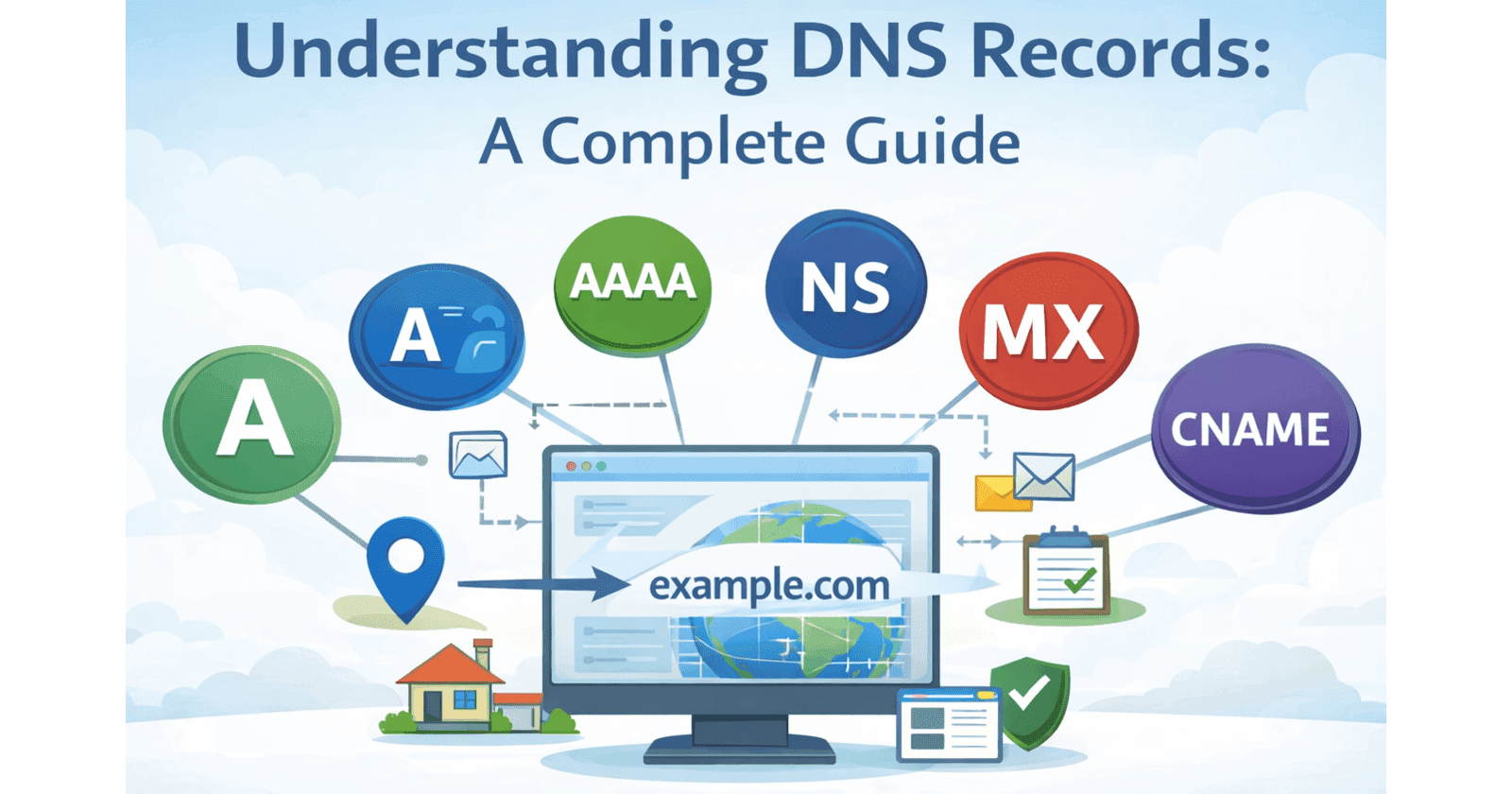
You can think of DNS records as instruction tags attached to your domain name. Each tag tells the internet something important about how your domain should be located, verified, or used. Together, they ensure that websites load correctly, emails reach the right inbox, and online services can trust your domain.
The NS (Name Server) record answers one of the most important questions in DNS:
“Who is responsible for this domain?”
Whenever someone tries to access your domain, the DNS system first looks at the NS record. This record tells the internet which DNS servers are authorised to provide information about your domain. In simple terms, it defines where all other DNS queries for your domain should be directed.
Without a correct NS record, your domain is essentially invisible, because the DNS system does not know which servers it should trust for answers.
Think of registering a house with the city administration. The NS record is like telling the government:
“For anything related to this property, contact this specific municipal office.”
From that point onward, every official enquiry about your house goes to that office only.
In the same way, if your NS records point to providers like Cloudflare, GoDaddy, Google, or AWS, it means those companies are officially responsible for managing your domain’s DNS settings.
All other records, such as A records, MX records, or TXT records, are stored and managed under these name servers. So even though NS records are rarely changed, they form the foundation of your entire domain’s presence on the internet. Without them, nothing else works.

The A record is the most common and fundamental type of DNS record. Its main purpose is to connect a domain name to an IPv4 address, which is the actual numerical location of a server on the internet.
Example:
example.com → 93.184.216.34
This record answers the most basic and essential question:
“Where is this website located?”
When someone types your domain into a browser, the DNS system uses the A record to find the exact server that hosts your website.
Think of the A record as your home’s street address. If someone wants to visit you, this is the precise location they need. Without it, no one would know where to go.
Without an A record, your domain may exist, but your website cannot be reached.

The AAAA record performs the same role as the A record, but for IPv6 addresses instead of IPv4.
Example:
example.com → 2606:2800:220:1:248:1893:25c8:1946
IPv6 was introduced because the world is gradually running out of IPv4 addresses. With billions of devices now connected to the internet, a newer and much larger addressing system was needed.
If IPv4 is the old postal system designed for a small town, IPv6 is a modern global system built to handle entire megacities.
Today, many websites use both A and AAAA records so that users can connect using either system, depending on what their network supports.

A CNAME (Canonical Name) record does not point directly to an IP address. Instead, it points to another domain name.
Example:
www.example.com → example.com
This simply means:
“Use the same destination as example.com.”
Whenever the main domain’s IP address changes, the CNAME automatically follows it, without requiring separate updates.
A CNAME is like giving someone a nickname instead of a full address. Rather than repeating directions, you say:
“Go to the main house.”
This makes management easier, especially for subdomains and external services.
A record: Points directly to an IP address.
CNAME: Points to another domain name.
CNAME records are useful when you want flexibility and simplified maintenance.

The MX (Mail Exchange) record tells the internet where emails for your domain should be delivered.
Example:
example.com → mail.google.com
This means any email sent to @example.com will be routed to Google’s mail servers.
MX records work like your company’s mail department. Even if your office is located in one building, your mail might go through a different central facility before reaching you.
NS: Who manages the domain’s DNS
MX: Who handles the domain’s email
They solve completely different problems and serve different purposes.

A TXT record stores plain text information. It is commonly used for:
Domain ownership verification
Email security (SPF, DKIM, DMARC)
Service integrations (Google, Microsoft, Stripe, etc.)
Example:
"google-site-verification=abc123"
TXT records are like official notices pinned on your office door, saying:
“Yes, this business is genuine.”
“Yes, this service is authorised.”
They do not route traffic directly, but they play a crucial role in trust, security, and authentication.

Let’s take a practical example: example.com
When someone visits your website or sends you an email, this is what happens behind the scenes:
NS Record
Identifies which DNS provider is responsible for the domain.
A / AAAA Record
Locates the actual server where the website is hosted.
CNAME Record
Handles aliases like www or other subdomains.
MX Record
Ensures all emails are delivered to the correct mail server.
TXT Record
Verifies domain ownership and strengthens security.
Together, these records form the complete identity of your domain. They make sure your website loads correctly, your emails reach the right inbox, and external services can trust and verify your domain. In simple terms, DNS records work as a coordinated system that allows your domain to function smoothly across the entire internet.
